
Official expansion gameplay trailer
Warframe: 1999 — Official Gameplay Trailer
Source: PlayWarframe / Digital Extremes. Video belongs to the rights holder; edited promotional footage should not be mistaken for an unedited game session.

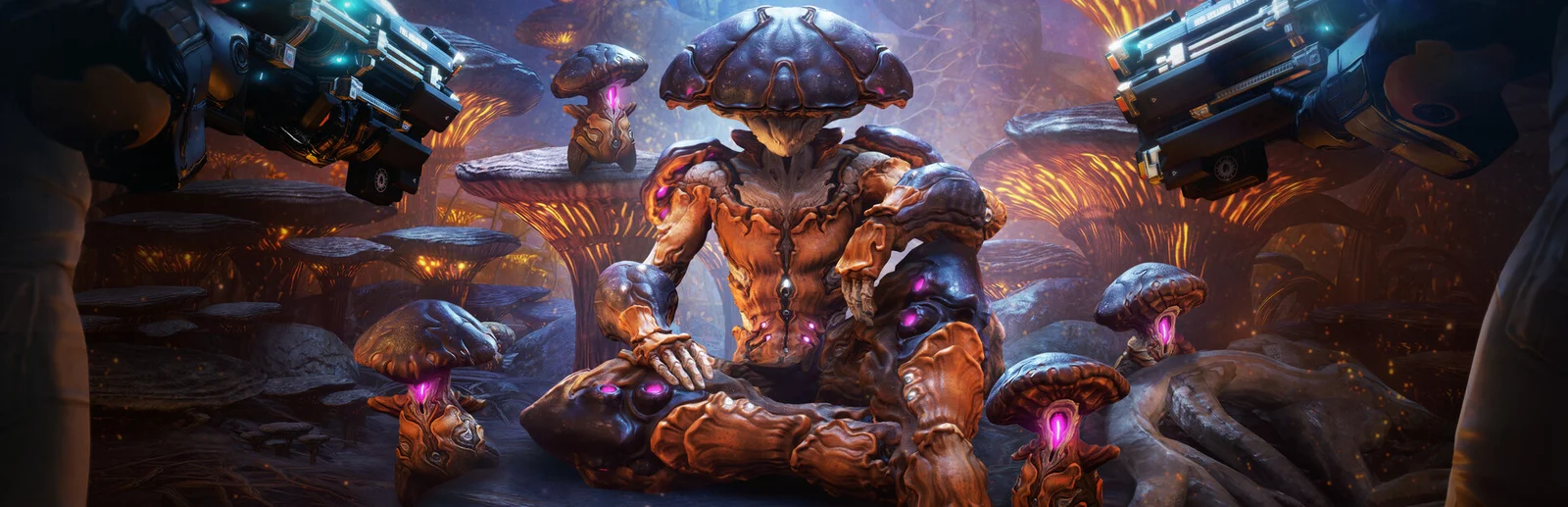
Warframe puts an adaptable combat suit, a collection of weapons and fast movement at the centre of a science-fiction action game.
PlayNorio / from the source
Hand-picked videos matched to this game or edition. Official trailers and gameplay, organised for quick viewing. Click Play to load YouTube, or use the direct publisher link.
1 publisher-attributed video · Playback availability varies
Official expansion gameplay trailer
Source: PlayWarframe / Digital Extremes. Video belongs to the rights holder; edited promotional footage should not be mistaken for an unedited game session.
PlayNorio is independent and not affiliated with the video creator. Preview images use game artwork rather than video frames. Third-party YouTube playback loads only after you choose Play. Embedding and playback availability are controlled by the video owner and YouTube.
Warframe puts an adaptable combat suit, a collection of weapons and fast movement at the centre of a science-fiction action game. Digital Extremes’ official guides teach a first Warframe, missions, equipment, parkour and modding as connected parts of the journey. The game becomes easier to read when each session has a specific purpose. Learn one loadout and the route through an early mission before trying to understand every item or activity visible in the menus.
Open an image for a closer look. Source and edition details are linked below each image.
Images belong to their respective rights holders. Commercial reuse review is pending.
The official quick-start guide gives parkour and advanced movement their own sections alongside weapons. PlayNorio suggests practising a simple movement sequence in an approachable space before trying to perform it under pressure. Then notice how that movement changes an ordinary mission route. The aim is to arrive where you intend, not to copy a speed demonstration without control. A familiar path is useful for learning because it makes the effect of a new movement habit easier to see.
Digital Extremes describes modding as a way to adapt equipment within upgrade capacity. Rather than installing unfamiliar combinations at random, read one mod and connect it to a need in your current mission. Test a change, observe the result and keep track of why it helped. This is an introductory method, not a permanent best-build formula; new equipment and balance updates can change the details while the habit of understanding a loadout remains useful.
The official new-player material connects missions, the Origin System and further quests to opening more of the game. Choose a manageable next objective and complete it before turning the entire map into a backlog. If a requirement is unclear, use the developer’s quest and beginner guides rather than a late-game checklist designed for an established account. This profile does not recommend a currency purchase, promise a particular drop or claim that the first equipment choice permanently defines your character.
Editorial suggestions based on the systems described above. These are starting ideas, rather than a claim of hands-on testing or advice for a particular patch.
No. Digital Extremes’ quick-start guide says additional Warframes can be constructed or obtained as you progress.
No advanced build is prescribed here. The official tutorials and this introduction focus on learning movement, missions and equipment a step at a time.
Warframe uses Mods to alter your equipment, with available capacity affecting what you can equip. That makes a difficult mission a reason to review the weapon and Warframe you are already using, rather than assuming that acquiring another item is the only route forward.
Before the next attempt, choose one problem to address: surviving damage, handling an enemy or reaching the objective reliably. Read the relevant Mod descriptions and compare what you can fit into the current loadout. Make one deliberate adjustment, then revisit a familiar mission. Notice what changed in play, including whether your movement and ability use support the equipment choice. Keep the explanation simple enough that you could repeat it later.
Navigation identifies missions and their destinations, while the mission interface helps you follow objectives and teammates. Quests provide another progression thread. These systems can pull your attention in different directions, especially when a public squad moves more quickly than you expect.
Decide whether this session is for learning a mission, following a quest or gathering a particular material. Check the mission information before launching and choose a matchmaking setting that fits that purpose. During play, keep the objective visible and communicate when you need a moment. After extraction, review what you obtained and what remains. A completed route you understand is more useful than a rapid run that leaves you unsure why anything happened.
Owning a Mod and having space for it are different things. Read the equipment’s capacity and the Mod’s cost before deciding which combination to use.
Choose deliberately. A squad can help, but its pace may suit a different goal. Use the available matchmaking settings and tell teammates when you are learning an unfamiliar objective.
Use the publisher or developer listing for current screenshots, trailers and product details. No video is embedded here without a title-specific source record.
The factual foundation for this profile comes from the first-party pages below, checked on 31 October 2026. The explanation and practical suggestions are PlayNorio’s editorial interpretation. Availability, service features and platform support can change.