
Official gameplay presentation
Grand Theft Auto V — Official Gameplay Video
Source: Rockstar Games. Video belongs to the rights holder; edited promotional footage should not be mistaken for an unedited game session.

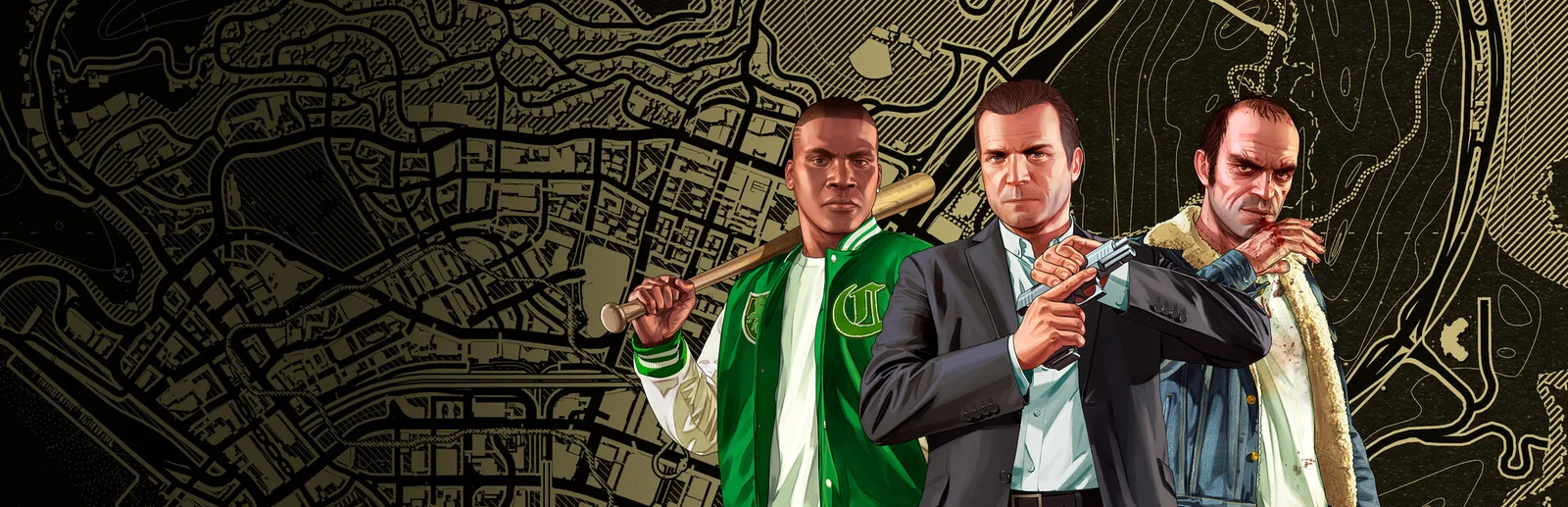
Grand Theft Auto V places Rockstar's crime storytelling in Los Santos and the surrounding countryside.
PlayNorio / from the source
Hand-picked videos matched to this game or edition. Official trailers and gameplay, organised for quick viewing. Click Play to load YouTube, or use the direct publisher link.
1 publisher-attributed video · Playback availability varies
Official gameplay presentation
Source: Rockstar Games. Video belongs to the rights holder; edited promotional footage should not be mistaken for an unedited game session.
PlayNorio is independent and not affiliated with the video creator. Preview images use game artwork rather than video frames. Third-party YouTube playback loads only after you choose Play. Embedding and playback availability are controlled by the video owner and YouTube.
Grand Theft Auto V places Rockstar's crime storytelling in Los Santos and the surrounding countryside. The game and GTA Online share a setting and brand, but they offer different reasons to play: authored story progression on one side, an evolving online world on the other. Before choosing an edition or following a guide, decide which experience you mean. That small distinction prevents story instructions, online requirements and hardware-specific features from being mixed together.
Open an image for a closer look. Source and edition details are linked below each image.
Images belong to their respective rights holders. Commercial reuse review is pending.
Rockstar markets Grand Theft Auto V and GTA Online together, which can obscure the difference for a newcomer. Story-focused play is a good way to approach the setting as a sequence of characters, locations and missions. Online play needs its own current guidance. When saving an article, label whether it refers to the campaign or GTA Online so you can find the relevant information later. Treat a claim about one mode as a claim about that mode, not automatically about the whole package.
The official setting includes the city of Los Santos together with hills, countryside and beaches around it. Spend some time noticing how those spaces connect rather than treating every journey as a task to rush through. Choose a district or a landmark and use an ordinary trip to learn its roads and surroundings. This gives your exploration a purpose without requiring a completion checklist or knowledge of later story events. Keep spoilers out of searches if discovering the narrative is part of the attraction.
Different storefronts and hardware generations can describe different technical features and package contents. Rockstar's store and the platform listing are better references for your purchase than an old comparison image. Check whether the product includes the experience you want, then review the current hardware and account requirements. This profile does not promise that one purchase works identically on every system. Use game-specific support material when troubleshooting rather than transferring an instruction for an older platform to a new installation.
Editorial suggestions based on the systems described above. These are starting ideas, rather than a claim of hands-on testing or advice for a particular patch.
They are closely connected products, but Rockstar presents story and online offerings separately in its store information. Check the contents of the edition you select.
Rockstar North identifies Los Santos and the surrounding hills, countryside and beaches as the game’s setting.
GTA V’s Story Mode follows Michael, Franklin and Trevor, and its missions can move between their perspectives. A switch changes more than the face on screen: it can place you in a different vehicle, location or part of an ongoing situation. Pay attention to what the mission is asking at that moment.
On your next story session, pause after a switch long enough to read the objective and identify nearby cover, the route forward and any immediate threat. Take a short journey to a clear destination. Familiar streets make it easier to understand later pursuits and directions without spending the whole trip watching the minimap.
The three-protagonist story and GTA Online are separate ways to spend time in Los Santos. A Story Mode mission sequence is not the same progression system as an online character’s activities, businesses or purchases. A guide that mixes them can make a simple next step needlessly confusing.
Write your goal with the mode included: continue a particular character’s story, practise a familiar driving route or arrange an online activity with friends. If the next story marker is missing, check the current character and Rockstar’s mission guidance before assuming the save is broken. Leave yourself a note about the last mission or location when stopping. That small piece of context makes a return visit easier without exposing future story outcomes.
No. The Michael, Franklin and Trevor structure belongs to GTA V’s story. Online uses a different character and progression context, so choose a guide for the mode you are playing.
Choose one route, vehicle or neighbourhood to learn. Start and finish at recognisable places, then notice which turns or controls caused trouble rather than simply extending the journey.
Use the publisher or developer listing for current screenshots, trailers and product details. No video is embedded here without a title-specific source record.
The factual foundation for this profile comes from the first-party pages below, checked on 31 October 2026. The explanation and practical suggestions are PlayNorio’s editorial interpretation. Availability, service features and platform support can change.